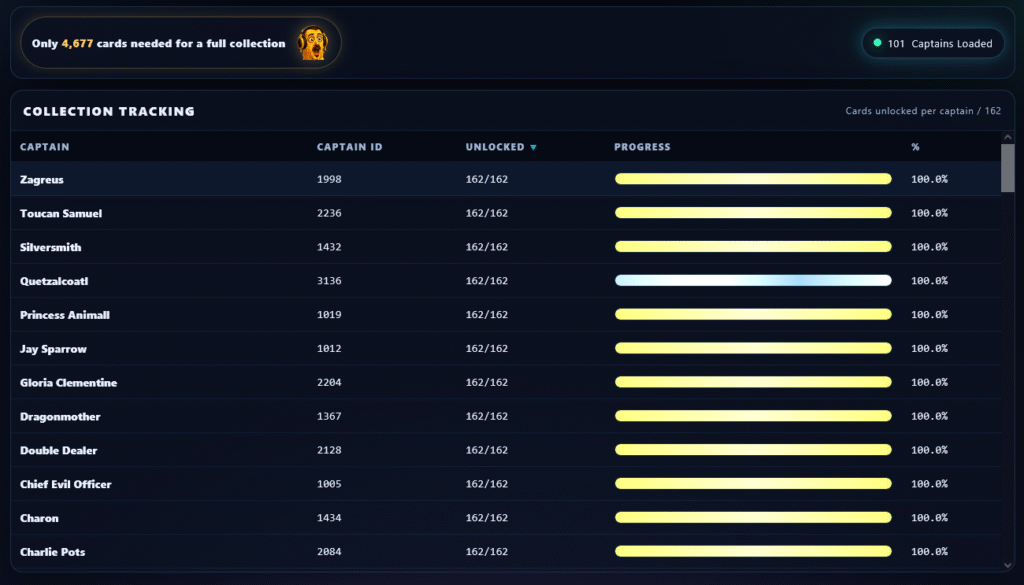
I’ve had a few people ask me if there was an easy way to see how close they are to completing their Once Upon a Galaxy collection, so I finally sat down and built one.
The Collection Tracker lets you upload your collection file and instantly see every captain, how many cards you have unlocked, your progress toward completing each one, and exactly how many cards you still need for a full collection. You can also sort the table by captain name, captain ID, unlocked cards, or progress to find what you’re looking for a little easier.
You can check it out here:
👉 https://motumbo.net/collection-tracker/
A couple of notes:
- This tool currently only works for players using the Steam version of Once Upon a Galaxy on PC.
- Your collection file is usually located here:
C:\Users\<Your Username>\AppData\Roaming\GalaxyLook for the file that ends with _collection (for example, CD38D2BFFBA43B96_collection) and upload that file to the tracker.
I’m sure I’ll continue adding little improvements over time, so if you run into any bugs or have ideas for features you’d like to see, let me know. If enough people find it useful, I’ll keep expanding it.
Hopefully this makes it a little easier to keep track of your collection, and maybe even helps you figure out which captain you want to work on next.